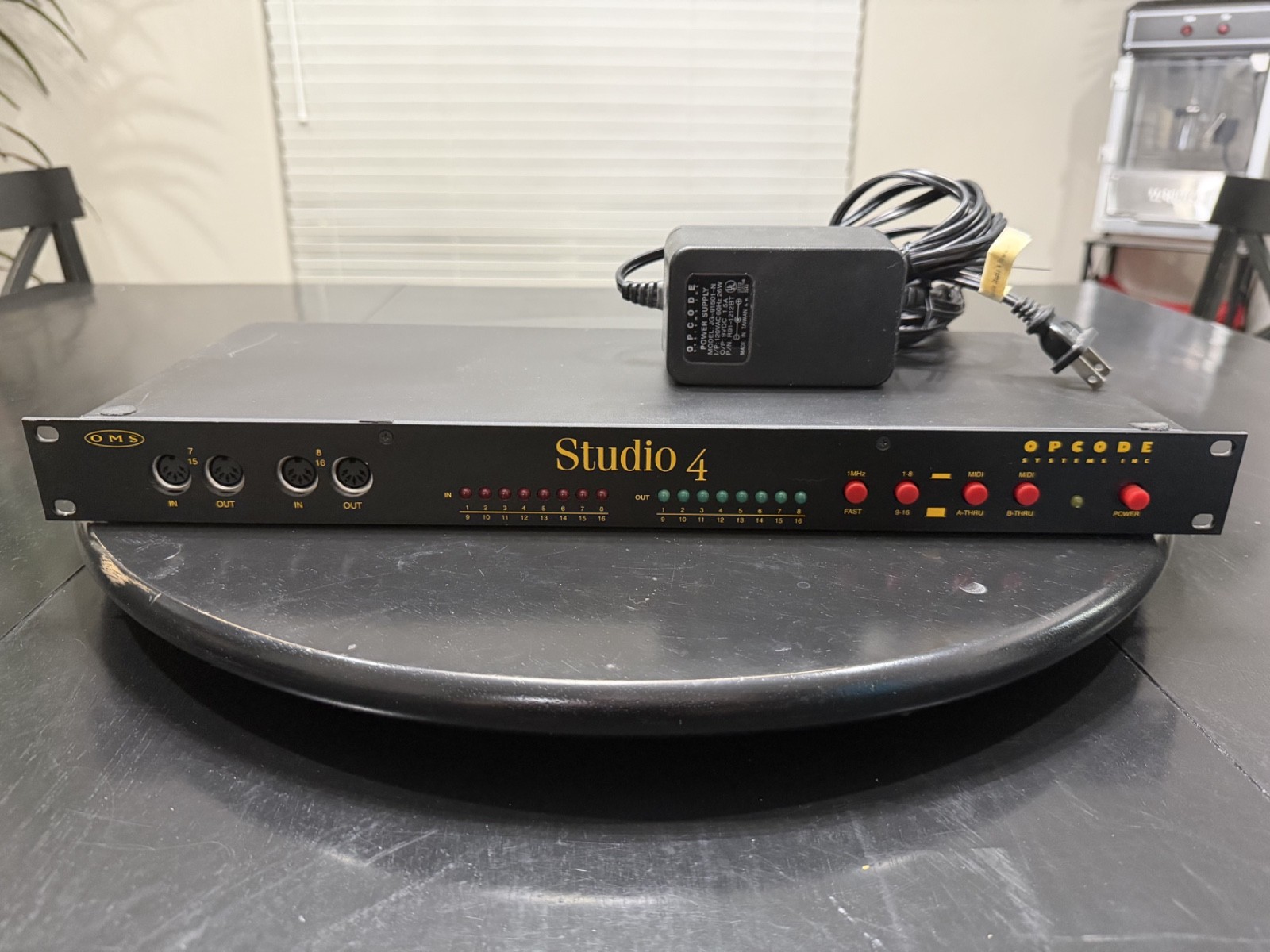

Photos from current listings. Actual item, color, and included accessories may vary.
Opcode Studio 4 MIDI Interface Buying Guide
The Opcode Studio 4 is a vintage 4-port Macintosh MIDI interface from the late 1980s, built around a serial DIN-8 connection and period-correct Mac OS software. Buyers face a binary trade-off: it is a collector's piece for legacy Macintosh studio restoration, not a practical modern MIDI router. The decision rule is simple—buy only if you are maintaining a period Mac rig with the required serial cable and OS support; otherwise choose a modern USB or class-compliant multi-port interface.


At a glance
- Brand
- Not synced yet
- Model
- Not synced yet
- MPN
- Not synced yet
- Category
- Recording & Studio Gear
- Status
- Offers available
- Data updated
- Nov 15, 2026
Current offers
Highlights
- Four independent MIDI In/Out pairs with merge and thru routing were designed for 16-channel-per-port multitimbral synths and drum machines on classic Mac.
- Serial DIN-8 Macintosh port connection requires a specific 8-pin mini-DIN cable; USB adapters do not work without a Mac serial-to-USB bridge and compatible driver.
- Original Opcode Studio 4 relies on period Mac OS software for patchbay and routing; modern macOS and Windows lack native drivers.
- Rack-mountable half-rack chassis with external power supply reflects late-1980s Opcode build standards—durable metal case but aging electrolytic capacitors and DIN sockets.
Best use cases
- Best fit: restoring a vintage Macintosh II/SE/Quadra studio with period software and hardware synths—pick the Studio 4 only with original DIN-8 cable and PSU.
- Wrong fit: modern DAW users needing plug-and-play MIDI—skip the Studio 4 and choose a class-compliant USB 4-port interface with current drivers.
- Best fit: collector display or museum restoration where authenticity matters more than functionality—confirm all four MIDI ports and power supply are included.
- Wrong fit: live performance or touring rigs—skip vintage serial interfaces; use modern USB-MIDI with DIN sockets and bus power.
Buying tips
- Confirm the MIDI port count and type: four In/Out pairs on 5-pin DIN; count physical sockets in photos, as missing port nuts or bent pins are common on vintage units.
- Verify the serial connector is Mac DIN-8, not DB-9 or USB; the correct cable is an 8-pin mini-DIN to 8-pin mini-DIN Mac serial cable, often sold separately.
- Check the power supply: original Opcode external PSU with correct voltage and polarity is required; generic adapters risk damage to vintage logic chips.
- Inspect for battery leakage and capacitor corrosion on the PCB; late-1980s Opcode units often need recapping before reliable MIDI timing.
Specs
| MIDI Ports | 4 In / 4 Out (5-pin DIN) |
|---|---|
| Host Connection | Mac DIN-8 serial (8-pin mini-DIN) |
| Power | External PSU (vintage, non-USB) |
| Era / Driver | Late 1980s Mac OS only |
Alternatives to compare



Related searches
What to check before buying
- Measure your Mac's serial port: DIN-8 mini-DIN is required; if your Mac lacks a serial port, a serial-to-USB adapter with Mac OS 9 driver support is mandatory.
- Confirm rack or desktop space: half-rack width and depth fit standard 19-inch racks with optional ears; allow clearance for DIN cables and PSU.
- Check mains voltage and plug standard for the external power supply; vintage US supplies are 120V only and require a step-down transformer abroad.
- Verify companion software: Opcode Studio 4 requires period patchbay software and a Mac OS version that supports serial MIDI; modern DAWs need a USB interface instead.
FAQ
Data sources: eBay / Amazon listings and product attribute feeds Data updated Nov 15, 2026.
Some links on this page are affiliate links. If you buy after clicking one, we may earn a commission at no extra cost to you. This does not change which products appear here or their order. Affiliate disclosure.