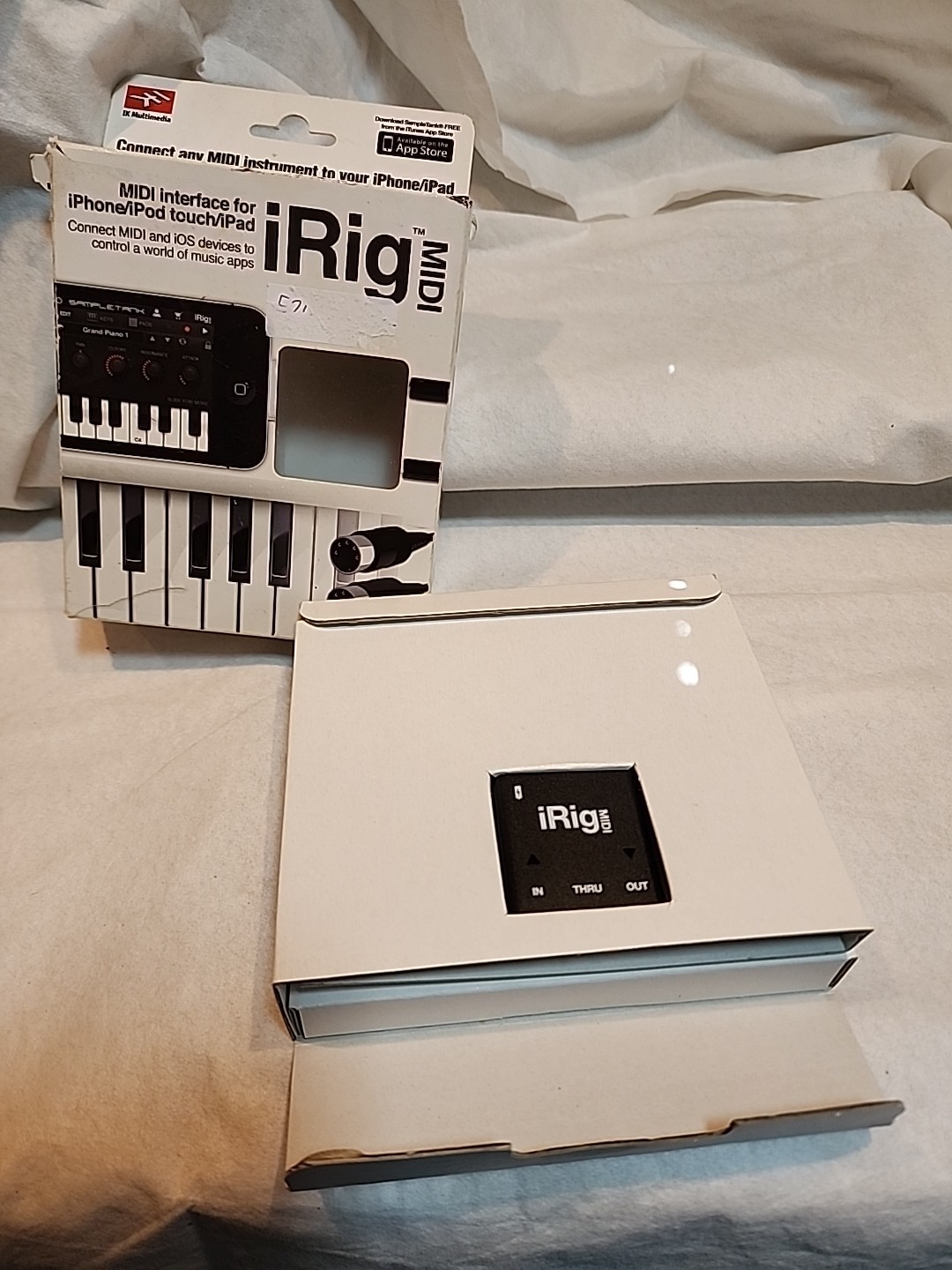

Photos from current listings. Actual item, color, and included accessories may vary.
IK Multimedia IRig MIDI Buying Guide
The IK Multimedia iRig MIDI is a portable MIDI interface that connects 5-pin DIN MIDI hardware to iOS devices and Mac/PC via the 30-pin dock connector or USB, bridging legacy synths and controllers with mobile music apps. The core trade-off is legacy dock compatibility versus modern Lightning/USB-C connectivity, and the decision rule is simple: buy the original iRig MIDI only if you have a 30-pin iOS device or a Camera Connection Kit path; otherwise choose the iRig MIDI 2 with Lightning or a class-compliant USB-MIDI interface.


At a glance
- Brand
- Not synced yet
- Model
- Not synced yet
- MPN
- Not synced yet
- Category
- Recording & Studio Gear
- Status
- Offers available
- Data updated
- Nov 15, 2026
Current offers
Highlights
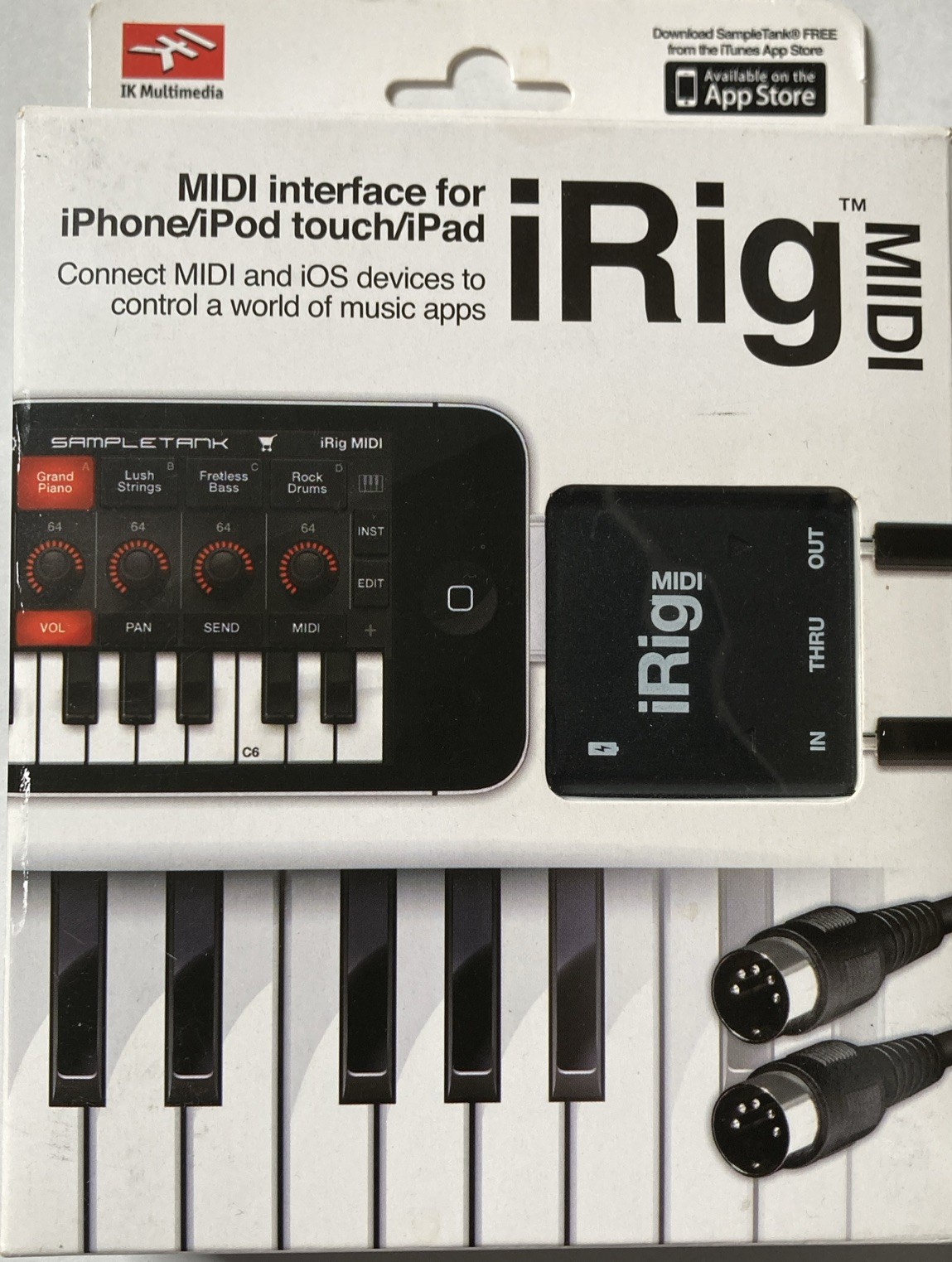
- Original iRig MIDI uses a fixed 30-pin dock connector, so it works natively only with iPhone 4/4S, iPad 1-3, and iPod touch 4th gen; newer devices need the Apple 30-pin to Lightning adapter.
- Provides one MIDI IN and one MIDI OUT port on 5-pin DIN, plus a micro-USB port for bus-powered operation and Mac/PC class-compliant use with no drivers.
- iRig MIDI 2 replaces the dock connector with a detachable Lightning cable and adds MIDI THRU behavior via a switch, making it the correct pick for Lightning-era iPhones and iPads.
- Both versions are class-compliant MIDI devices; on iOS they require CoreMIDI-compatible apps, and on Mac/PC they appear as standard MIDI ports without proprietary drivers.
Best use cases
- Best fit: you own a 30-pin iPad or iPhone and want to play a hardware synth or keyboard into apps like GarageBand or SampleTank — pick the original iRig MIDI.
- Best fit: you have a Lightning iPhone/iPad and need DIN MIDI I/O — choose iRig MIDI 2 instead of the original, or use the original with an Apple 30-pin to Lightning adapter.
- Wrong fit: USB-C iPad Pro or modern Mac-only setups — skip both iRig MIDI versions and use a class-compliant USB-MIDI interface with a USB-C hub or adapter.
- Wrong fit: you need multi-port MIDI routing or MIDI merge/thru across several devices — a single-port iRig MIDI is too limited; choose a multi-I/O MIDI interface.
Buying tips
- Match the connector to your device generation: 30-pin dock for iPhone 4/4S and iPad 1-3; Lightning cable for iRig MIDI 2 on iPhone 5 and later or iPad 4 and later.
- Confirm your apps are CoreMIDI-compatible; iRig MIDI does not generate sound itself and requires a host app to route MIDI to synths or samplers.
- For Mac/PC use, connect via the micro-USB port — the unit is class-compliant, so no driver install is needed on macOS or Windows.
- If buying used, verify the proprietary dock or Lightning cable is included; replacement cables are specific to the iRig MIDI generation and not generic.
Specs
| Connector Type | 30-pin dock (v1) / Lightning (v2) |
|---|---|
| MIDI Ports | 1 IN + 1 OUT (5-pin DIN) |
| Host Compatibility | iOS CoreMIDI, macOS, Windows |
| Power Source | Bus-powered via host connector |
Alternatives to compare


Related searches
What to check before buying
- Identify your iOS device connector: 30-pin dock, Lightning, or USB-C — this alone determines whether the original iRig MIDI, iRig MIDI 2, or a USB-C interface is correct.
- Confirm you have at least one hardware MIDI device with 5-pin DIN IN or OUT to connect; the iRig MIDI does not add MIDI to USB-only controllers.
- Check that your host app supports external CoreMIDI input, and that your iOS version is compatible with the app you plan to use.
- For live use, plan power: the iRig MIDI is bus-powered from the iOS device, so long sessions drain the host battery unless you use a powered hub or charge simultaneously.
FAQ
Data sources: eBay / Amazon listings and product attribute feeds Data updated Nov 15, 2026.
Some links on this page are affiliate links. If you buy after clicking one, we may earn a commission at no extra cost to you. This does not change which products appear here or their order. Affiliate disclosure.