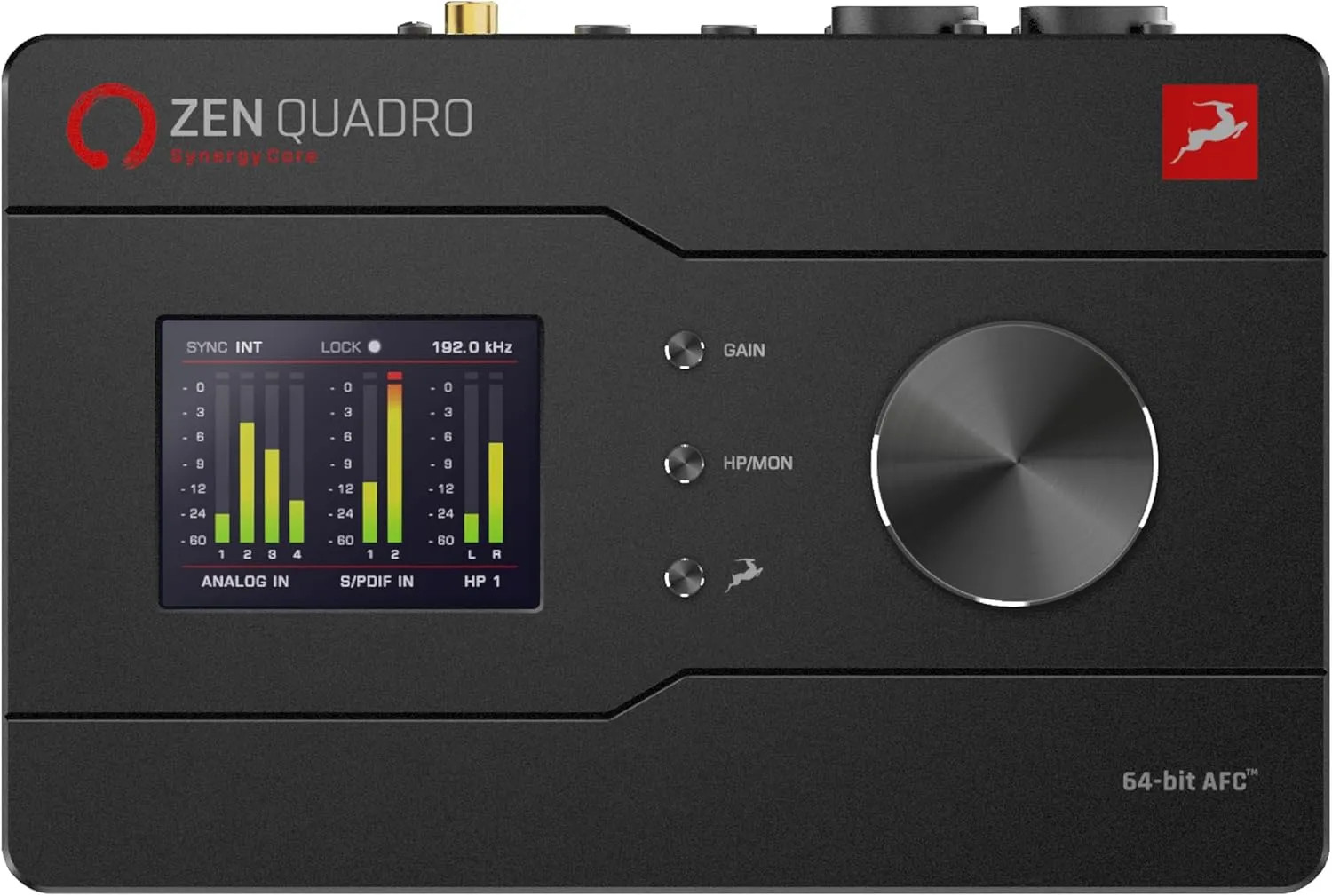

Photos from current listings. Actual item, color, and included accessories may vary.
Antelope Audio Zen Quadro Synergy Core Buying Guide
The Antelope Audio Zen Quadro Synergy Core is a desktop USB-C audio interface built around a 4-in/4-out topology with FPGA-based Synergy Core DSP for real-time plugin processing. The key trade-off is between Antelope's proprietary FX ecosystem and class-compliant plug-and-play operation: the Zen Quadro delivers console-grade modeling and low-latency monitoring but requires the Control Panel app for routing and DSP. Choose it if you need onboard FPGA effects and 4 analog inputs in a compact bus-powered chassis; skip it if you need standalone mixing or legacy FireWire/Thunderbolt connectivity.


At a glance
- Brand
- Not synced yet
- Model
- Not synced yet
- MPN
- Not synced yet
- Category
- Recording & Studio Gear
- Status
- Offers available
- Data updated
- Nov 15, 2026
Current offers
Highlights
- Synergy Core FPGA engine runs Antelope's own FX and third-party AFX plugins at near-zero latency, offloading host CPU.
- 4 analog inputs (2 mic/line/instrument combo + 2 line) and 4 outputs, with ADAT optical expansion for 8 more channels.
- Bus-powered USB-C with 24-bit/192 kHz conversion and discrete ultra-low-noise preamps with 65 dB gain.
- Dual headphone outs with independent level control and direct monitor mixing via the Control Panel app.
Best use cases
- Best fit: solo producers or small studios recording drums, guitar, and vocals simultaneously—the 2 combo + 2 line inputs cover a full kit with room for stereo keys.
- Best fit: mixers who want FPGA-powered vintage EQ/compression on monitor paths without taxing their CPU; pair with ADAT preamp for 12 total inputs.
- Wrong fit: users needing standalone operation without a computer—the Zen Quadro requires USB connection and the Control Panel app for routing and DSP.
- Wrong fit: Thunderbolt/Avid HDX integrators—this is a USB-C class-compliant device, not a Pro Tools HD native interface.
Buying tips
- Confirm your DAW supports the required Antelope Control Panel driver; on macOS use class-compliant mode only if you don't need Synergy Core FX.
- Budget for a USB-C port that supplies full bus power; bus-powered interfaces can brown out on unpowered hubs—use a powered hub or direct port.
- If you need more than 4 analog inputs, plan an ADAT preamp (e.g., 8-channel) because the Zen Quadro exposes 8 ADAT channels at 44.1/48 kHz.
- Match monitor outputs to your speakers: the 4 outputs are balanced TRS; use TRS-to-XLR cables for active monitors with XLR inputs.
Specs
| Input/Output Count | 4 in / 4 out analog + ADAT |
|---|---|
| Converter Resolution | 24-bit / 192 kHz |
| DSP Architecture | FPGA Synergy Core (AFX plugins) |
| Host Connection | USB-C bus-powered, class-compliant |
Alternatives to compare


Related searches
What to check before buying
- Verify your computer has a free USB-C port (or USB-A with a quality USB-C to USB-A cable) and that your OS meets the Control Panel app requirements.
- Measure desk space: the Zen Quadro is compact but needs clearance for rear TRS, XLR, and ADAT connectors plus front headphone jacks.
- Check that your monitors accept balanced TRS or XLR; unbalanced RCA-only speakers will need adapters and may pick up noise.
- Confirm your mic collection: two combo jacks accept XLR and 1/4-inch, but condenser mics require +48V phantom power, which the Zen Quadro supplies per channel.
FAQ
Data sources: eBay / Amazon listings and product attribute feeds Data updated Nov 15, 2026.
Some links on this page are affiliate links. If you buy after clicking one, we may earn a commission at no extra cost to you. This does not change which products appear here or their order. Affiliate disclosure.