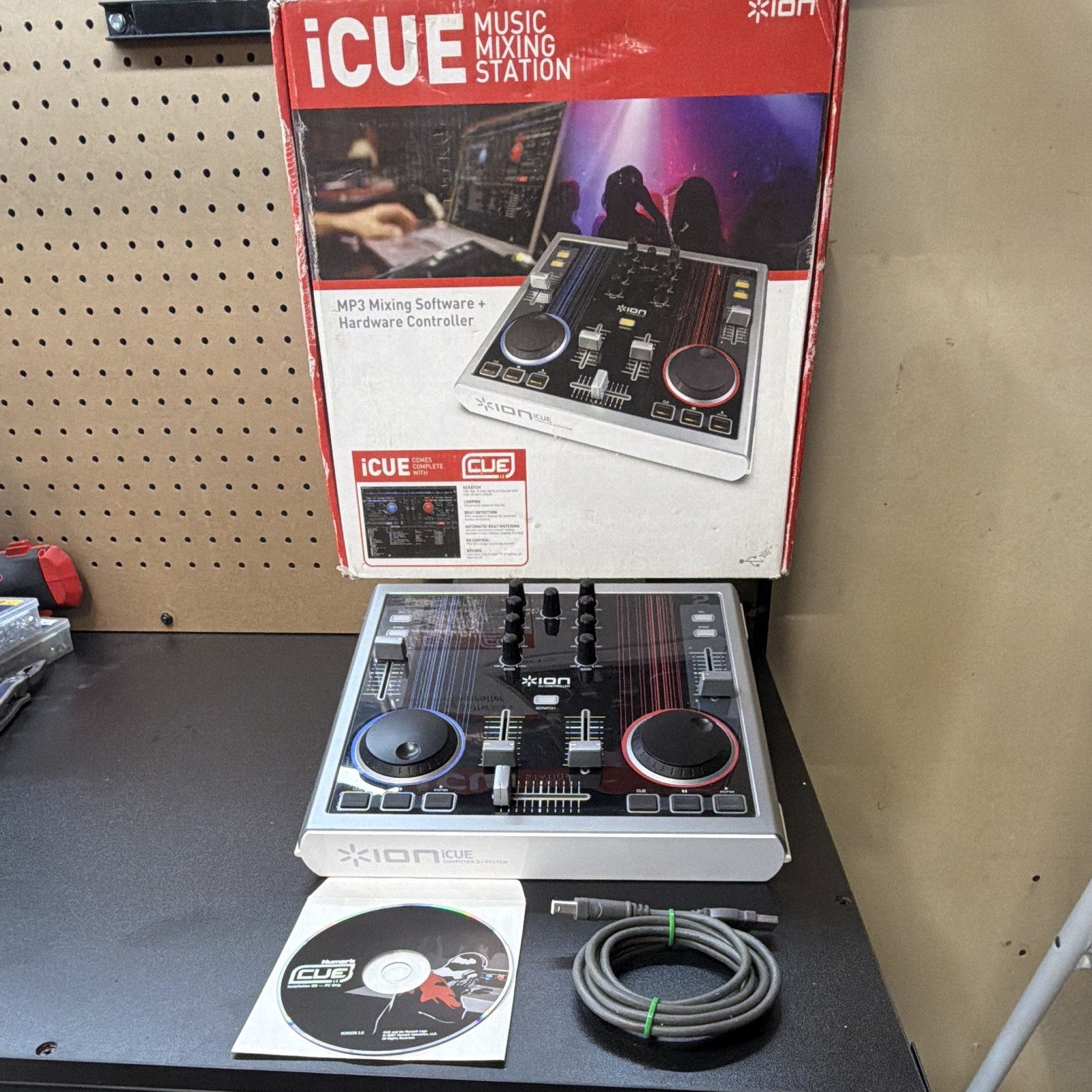

Photos from current listings. Actual item, color, and included accessories may vary.
Icue Music Mixing Station Buying Guide
The ION iCUE Music Mixing Station is a two-deck DJ controller that requires a host computer for audio processing and music library management, unlike standalone all-in-one systems. The critical trade-off is between this class of USB-dependent, entry-level controllers and professional standalone gear: the iCUE prioritizes plug-and-play simplicity and 3-band EQ mixing over build materials, jog-wheel resolution, and on-board effects. Buyers should treat it as a durable-enough starter deck for bedroom practice and casual parties, not as a road-ready club mixer.


At a glance
- Category
- DJ Equipment
- Data updated
- Nov 16, 2026
Current offers
Highlights
- Two-deck architecture with dedicated 3-band EQ per channel, crossfader, and gain controls for basic beatmatching and blending.
- Bus-powered USB connection handles both audio I/O and MIDI/HID control, eliminating the need for a separate power supply or audio interface.
- Entry-tier build uses ABS plastic chassis and membrane-style buttons rather than metal panels and mechanical jog wheels found on mid-tier controllers.
- Class-compliant USB audio means no proprietary driver on modern Windows/macOS, but latency and sample-rate stability depend on the host computer's USB controller.
Best use cases
- Best fit: a first-time DJ learning beatmatching and EQ transitions at home with a laptop — pick the iCUE if you already own a capable computer and headphones.
- Wrong fit: mobile DJs or party hosts who need to run a set without a laptop — skip the iCUE and choose a standalone controller or media player with USB/SD input.
- Best fit: casual house parties and small rooms where the controller feeds a powered speaker or home stereo via RCA — the 3-band EQ lets you tame vocals and bass on the fly.
- Wrong fit: club or venue work requiring balanced XLR outputs, booth monitor routing, and rugged metal chassis — the iCUE's unbalanced outputs and plastic body are not built for that duty cycle.
Buying tips
- Confirm your laptop meets the software's minimums before buying: a modern dual-core CPU, 4 GB RAM, and a dedicated USB 2.0 port avoid audio dropouts during mixing.
- Match the controller's output to your sound system: RCA unbalanced outputs suit powered bookshelf speakers and home stereos, not long cable runs to pro PA amps.
- Budget for closed-back DJ headphones with at least 32-ohm impedance and a 1/8-inch plug; the iCUE's headphone jack is the only cue-monitoring path.
- Skip the iCUE if you plan to add CDJs or turntables later — it has no line/phono inputs to act as a standalone mixer for external decks.
Specs
| Deck Architecture | 2-deck controller / no standalone mixer |
|---|---|
| Audio Interface | Bus-powered USB, RCA unbalanced out |
| EQ Per Channel | 3-band (low/mid/high) |
| Jog Wheel Type | Entry-tier touch/push, low resolution |
Related searches
What to check before buying
- Measure your desk or stand depth: the two-deck layout needs roughly 50 cm of width and 30 cm of depth to leave room for a laptop and cable clearance.
- Verify your computer has a free USB-A port and that you are not routing through an unpowered hub, which causes glitches on bus-powered controllers.
- Check your speaker or amplifier inputs: RCA line-level is required; XLR-only active PA speakers need a DI box or RCA-to-XLR adapter cables.
- Confirm your headphones use a 1/8-inch (3.5 mm) plug or include a screw-on 1/4-inch adapter, since the iCUE does not ship with one guaranteed.
FAQ
Data sources: eBay / Amazon listings and product attribute feeds Data updated Nov 16, 2026.
Some links on this page are affiliate links. If you buy after clicking one, we may earn a commission at no extra cost to you. This does not change which products appear here or their order. Affiliate disclosure.