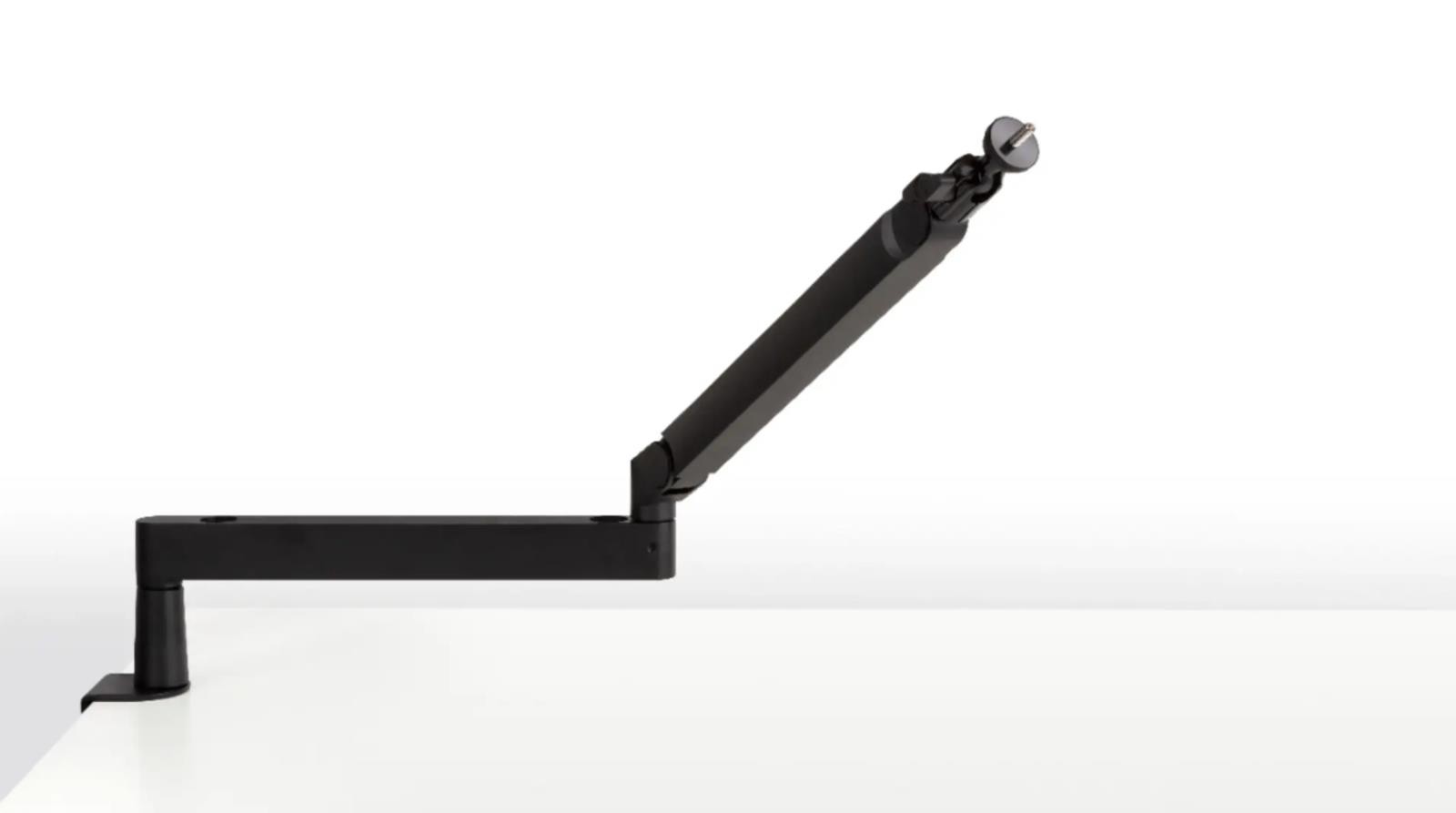

Photos from current listings. Actual item, color, and included accessories may vary.
Elgato Wave Arm LP Buying Guide
The Elgato Wave Arm LP is a low-profile broadcast-style microphone boom arm designed to keep the mic below the camera line and clear of your monitor. Its primary trade-off is between the clean, under-monitor silhouette of a low-profile arm versus the shorter reach and limited vertical travel that come with that geometry. Choose it only if your desk edge and mic position fall inside its compact footprint and weight class; otherwise a full-size studio boom is the durable choice.


At a glance
- Brand
- Not synced yet
- Model
- Not synced yet
- MPN
- Not synced yet
- Category
- Microphones & Accessories
- Status
- Offers available
- Data updated
- Nov 15, 2026
Current offers
Highlights
- Low-profile geometry routes the arm under the monitor instead of over the shoulder, preserving camera sightlines for streaming and video calls.
- Riser and base are designed to clamp to a desk edge and sit behind or beneath a monitor, so effective reach is measured from the clamp, not the desk center.
- Wave Arm LP ships in versions with and without adapter hardware — the adapter kit is what lets the arm accept non-Elgato mic mounts and shock mounts.
- Counterweight and tension are set for lightweight to mid-weight USB and XLR microphones; very heavy broadcast mics exceed the arm's comfortable load.
Best use cases
- Best fit: single-monitor streaming or desk setups where the mic must stay below the webcam and out of the keyboard's way — pick the version with the adapter kit if you use a third-party shock mount.
- Best fit: podcasters and callers using a lightweight USB condenser or dynamic mic who want a clean under-monitor silhouette rather than a tall overhead boom.
- Wrong fit: dual-monitor or deep-desk layouts where the clamp sits far from the speaking position — choose a full-length overhead boom instead.
- Wrong fit: heavy studio broadcast microphones or large shock-mounted condensers — the low-profile arm's load and reach are not built for that mass.
Buying tips
- Measure from your desk edge to your mouth position: if it exceeds the arm's stated reach, the low-profile design will not place the mic correctly — step up to a full-size boom.
- Confirm your desk edge thickness and whether a rear lip or cable tray blocks the clamp; low-profile arms need a clear flat edge for the base to seat.
- Match the arm to your mic's weight including shock mount and cable; adding a heavy mount to a light mic quickly exceeds low-profile tension settings.
- Buy the adapter-included version if you use a non-Elgato mic clip or shock mount — the bare arm is only directly compatible with Elgato's own mount interface.
Specs
| Arm Type | Low-profile under-monitor boom |
|---|---|
| Mount Interface | Elgato native; adapter kit for 3rd-party |
| Load Class | Light-to-mid USB/XLR mics |
| Clamp Style | Desk-edge C-clamp with riser |
Alternatives to compare

Related searches
What to check before buying
- Desk edge: flat, clampable surface of the right thickness with no rear lip or cable tray in the way.
- Monitor clearance: enough gap between desk and monitor bottom for the low-profile riser and arm to pass through.
- Mic weight: total weight of microphone, shock mount, and cable within the arm's rated load.
- Mount interface: Elgato-native clip or the adapter kit if using a third-party shock mount or thread.
FAQ
Data sources: eBay / Amazon listings and product attribute feeds Data updated Nov 15, 2026.
Some links on this page are affiliate links. If you buy after clicking one, we may earn a commission at no extra cost to you. This does not change which products appear here or their order. Affiliate disclosure.